> For the complete documentation index, see [llms.txt](https://docs.seedx.app/llms.txt). Markdown versions of documentation pages are available by appending `.md` to page URLs; this page is available as [Markdown](https://docs.seedx.app/seedxapp/propfund.md).
# Propfund
Swap
Swapping tokens on SEEDx is similar to other platforms, just faster and cheaper.
Seedx Swap
**How to Swap?**
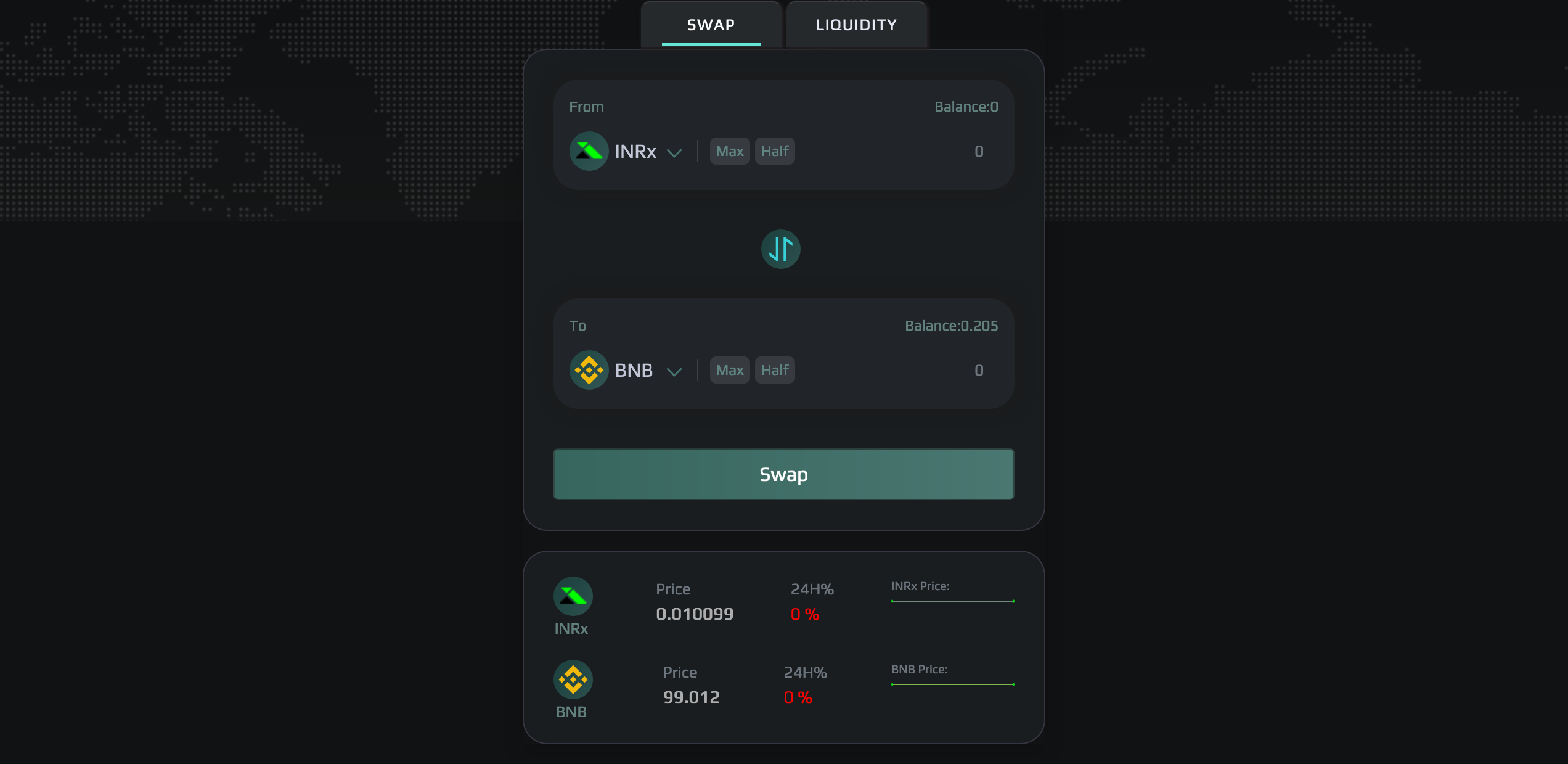
1. Navigate to Swap using the tabs at the top of the app, then connect to your wallet.
2. Next, choose the tokens you wish to swap from the menu. We will use a BNB/INRx exchange for this example.
Select the Token
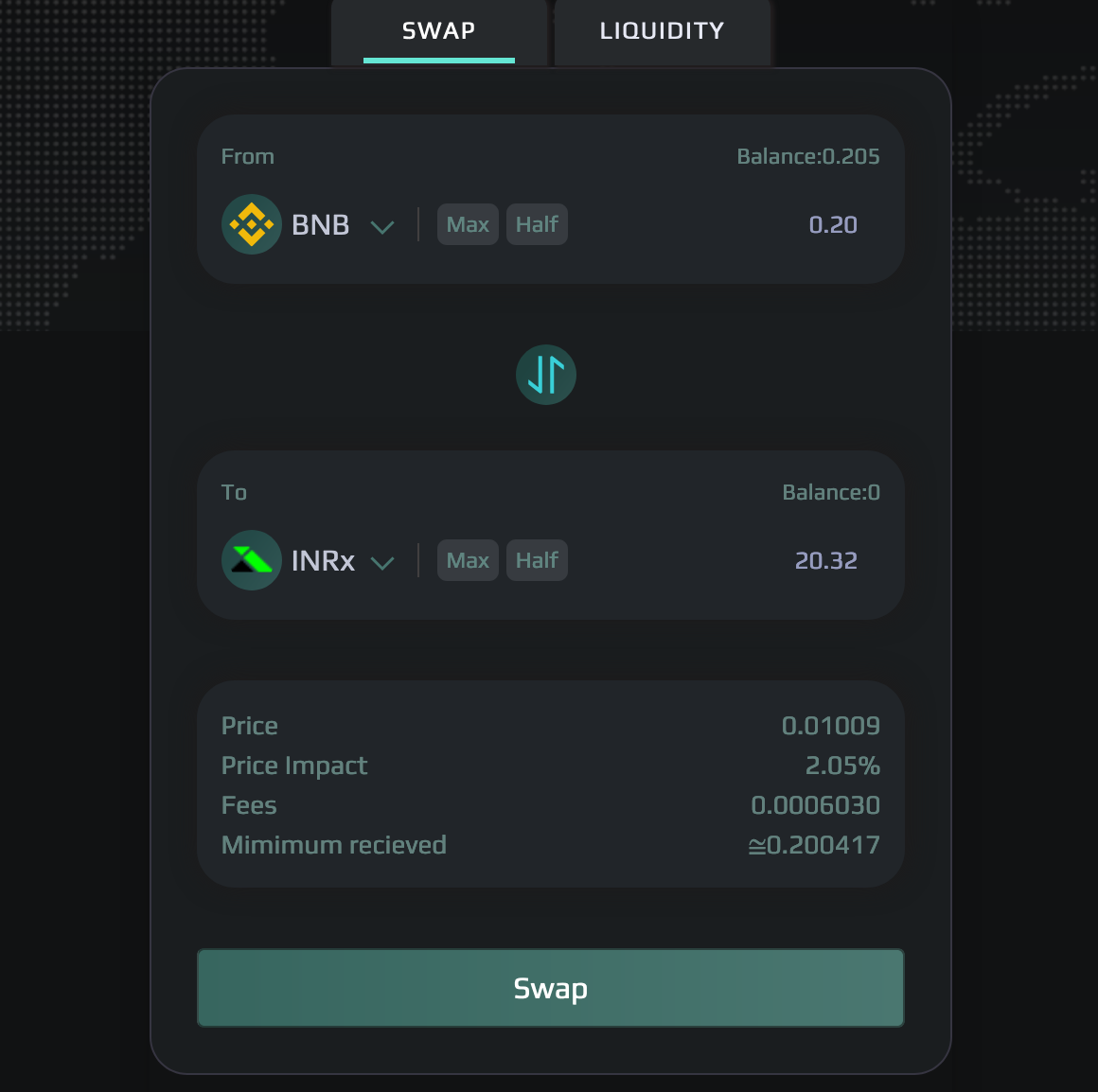
1. Enter the amount of tokens you wish to swap. Finally, click Swap!
Enter the Amount
1. Typically, your updated balance will be shown on your screen within a few seconds after a successful transaction being completed.
You have just completed your first trade on SEEDx. Let's start making some deals right now!
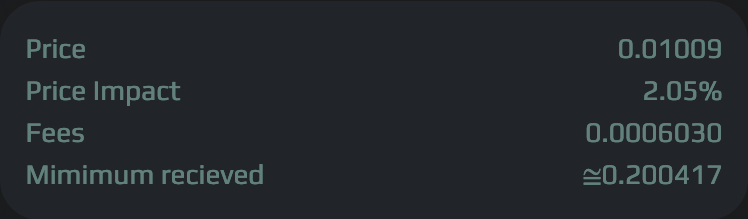
**Note**: When completing massive swaps or switching in a low liquidity pool, pay particular attention to Price Effect and make sure 'Minimum Received' is checked.
**Minimum Received** is the least amount of tokens a user will receive on a trade.
**Price Impact** is the difference between the market price and the estimated execution price based on the size of the trade.
**Slippage Tolerance** is the maximum difference between a users estimated price and execution price.